Microsoft Entra Versus Active Directory: Which Fits?
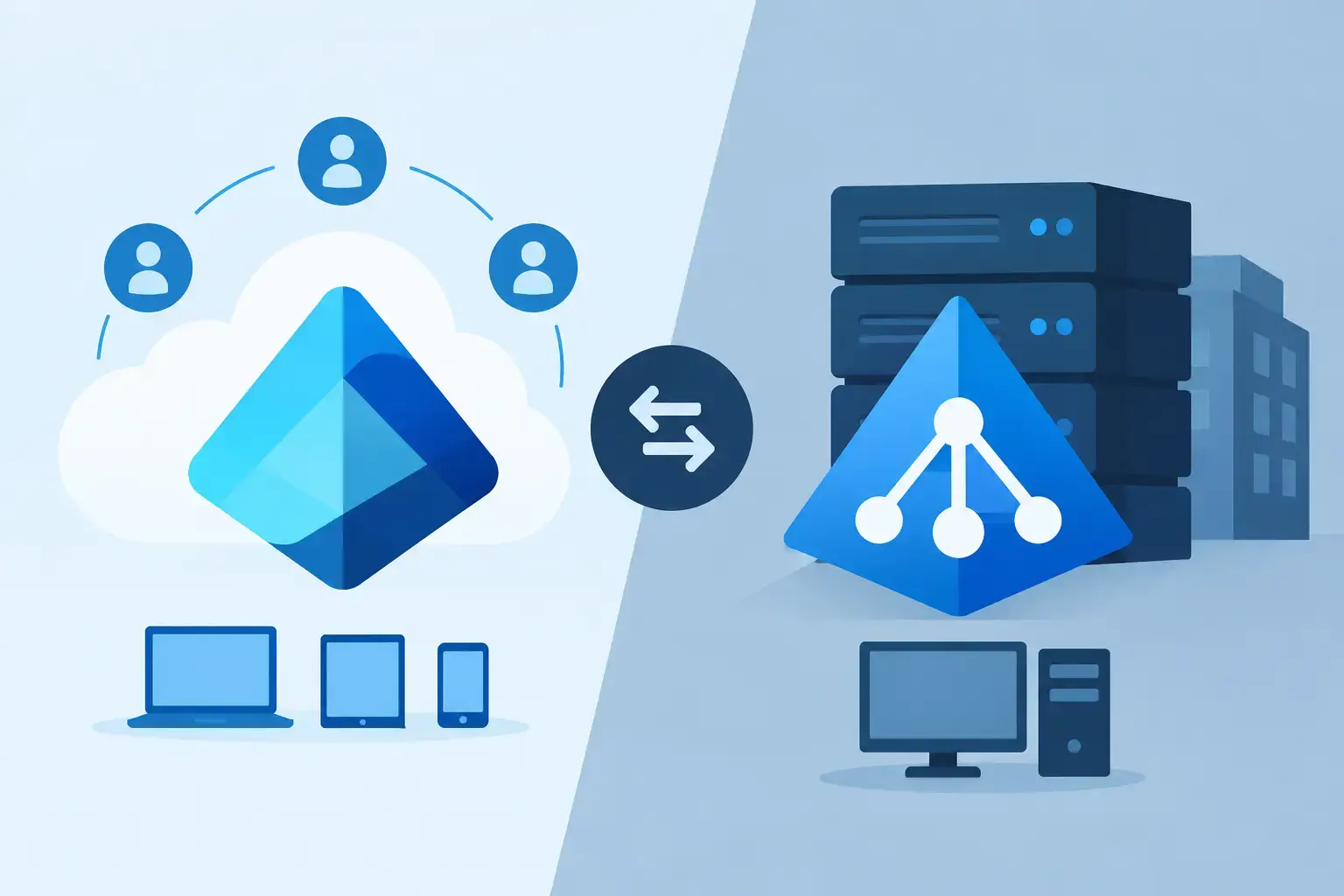
A server nearing end of life forces a decision many business owners did not expect to make: replace it, move workloads to the cloud, or keep both for a while. Microsoft Entra versus Active Directory is central to that decision because these systems control who can access company email, computers, files, applications, and data.
For a 20-person accounting firm in Burlington or a growing contractor in Hamilton, this is not an academic technology comparison. It affects the next server purchase, how quickly a departed employee can be locked out, whether staff can work securely from home, and how much effort goes into meeting a cyber-insurance questionnaire. The right answer is often a phased approach, not an all-or-nothing replacement.
Microsoft Entra Versus Active Directory: The Plain-English Difference
Active Directory is the traditional system that runs on a Windows Server in your office or data center. It is commonly used to create employee accounts, sign people into company PCs, manage shared folders, and control access to older business software. If your staff sign in to a desktop using a company username and password, there is a good chance Active Directory is involved.
Microsoft Entra ID, previously called Azure Active Directory, is Microsoft's cloud identity service. It performs a related but different role. It manages access to Microsoft 365, Teams, SharePoint, cloud applications, and modern Windows devices from the internet. It can require multi-factor authentication, assess sign-in risk, and apply security rules without relying on a server in the office.
The names are confusing because both services manage identities. But they are not interchangeable copies of one another. Active Directory was designed for an office network and server-based applications. Entra ID was designed for cloud services and devices that may be anywhere.
A useful way to think about it is this: Active Directory is usually the key cabinet in your building. Entra ID is the access control system for your cloud services, laptops, and remote workers. Many businesses need both during a transition.
What This Changes for Your Business
The biggest practical difference is where your business depends on a physical server. If Active Directory runs on one aging server in an Oakville office, that machine may be doing more than anyone realizes. It might manage employee logins, shared drives, printers, accounting software access, and a line-of-business application that cannot run in the cloud.
Replacing that server can cost several thousand dollars once you include hardware, Windows Server licensing, backup, setup, and labor. Keeping it is sometimes sensible. A stable server that supports a specialized application may have years of useful life left, provided it is patched, backed up, monitored, and has a tested recovery plan.
But retaining Active Directory alone does not solve modern access and security needs. Staff using Microsoft 365 still need properly configured Entra ID accounts, multi-factor authentication, and controls around personal devices and overseas sign-ins. If someone steals a password, an on-premises server does not protect your Microsoft 365 mailbox.
Entra ID changes the employee experience as well. A properly enrolled Windows laptop can be set up for a new hire without bringing it to the office. With Microsoft Intune, company settings, encryption, security updates, and approved applications can be applied remotely. When someone leaves, access can be removed centrally instead of relying on a checklist spread across email, shared folders, and individual software vendors.
That matters when a 35-person business hires across two locations, uses hybrid staff, or has an owner who travels frequently. It is less compelling for a five-person office where every employee uses the same on-site desktop and a single local application. In that case, spending heavily on device management may not be the first priority. Backups, email security, and multi-factor authentication usually come first.
When Active Directory Still Makes Sense
I would not recommend removing Active Directory simply because Microsoft Entra exists. Businesses often spend money trying to become fully cloud-only before checking whether their software and workflows support it.
Active Directory is still a reasonable choice when your business relies on a local file server, specialized software that requires a server, older equipment, or applications that authenticate against a local domain. Manufacturing, design, legal, and operational businesses can have valid reasons to keep those systems in place.
It also makes sense where internet reliability is a concern. Cloud services require reliable connectivity. A local server can keep certain internal systems available during an internet outage, although it also creates a responsibility to maintain hardware, power protection, backups, and security.
The risk comes from treating an old domain controller as invisible infrastructure. If there is one server, no tested restore process, and no current documentation, a hardware failure can become several days of disruption. A server is not a backup, and a backup is not useful until recovery has been tested.
When Microsoft Entra Is the Better Direction
For businesses built around Microsoft 365, Entra ID should be part of the security foundation. At a minimum, it provides centralized identities and supports stronger sign-in controls for email and cloud applications.
Entra becomes especially valuable when employees use laptops outside the office, access SharePoint or Teams, use cloud accounting and CRM tools, or need access to more than one location. It also gives you a cleaner path to replacing shared passwords and inconsistent access practices with named accounts and clear permissions.
For many businesses with 10 to 50 staff, the sensible target is cloud-first rather than cloud-only. Email, collaboration, identity security, and device management move to Microsoft 365 and Entra ID. A local server remains only for the applications or files that genuinely require it. Over time, as software is replaced and data is moved, the server role becomes smaller.
That approach avoids buying a new server by habit while avoiding a disruptive migration done for marketing reasons. It also gives owners a clearer view of costs. Microsoft 365 licensing becomes a predictable monthly expense, while server replacement and maintenance become a deliberate decision rather than an emergency expense.
The Hybrid Setup Most Small Businesses Actually Need
A hybrid setup connects your existing Active Directory accounts with Entra ID. Employees can use one identity for their Windows computer and Microsoft 365 services, while the business keeps local access where it is still required.
Hybrid environments require careful configuration. If they are set up casually, businesses can end up with duplicate accounts, confusing passwords, outdated permissions, and departed employees still appearing in one system. The goal is not to synchronize every old account automatically. The goal is to establish a clean source of truth for active staff and access rights.
Before making changes, I recommend answering a few business questions: Which applications actually require the server? Where are your files stored? Who needs remote access? What happens if the office loses internet for a day? How quickly must a terminated employee lose access? These answers shape the design more than a generic migration checklist.
Security Is Usually the Deciding Factor
Cyber-insurance applications increasingly ask about multi-factor authentication, privileged accounts, encryption, endpoint protection, backup testing, and access removal. Entra ID can support several of these requirements, especially when paired with the right Microsoft 365 licensing and Microsoft Intune or Defender configuration.
Licensing matters here. A company should not purchase advanced security features it will never configure or monitor. Conversely, choosing the cheapest Microsoft 365 plan can leave gaps that are expensive to address after a phishing incident. The right license depends on the number of staff, device types, compliance obligations, and whether you need managed device controls.
For a 15-person professional services firm, a practical first step may be multi-factor authentication for every account, removal of legacy sign-in methods, secure administrator accounts, and a review of mailbox forwarding rules. Those measures often reduce immediate risk more than a rushed server migration.
A Practical Decision Path
If your server is stable and supports software you still need, do not replace it blindly or remove it prematurely. Document what it does, confirm backups, and strengthen Entra ID security around Microsoft 365.
If the server is old, unsupported, or poorly documented, assess whether each workload belongs on a replacement server, in Microsoft 365, in Azure, or in a modern software-as-a-service application. Some workloads can disappear entirely when files move to SharePoint and older applications are replaced. Others need to remain local for now.
If you have no server and operate primarily in Microsoft 365, Entra ID with properly managed devices is usually the cleaner, lower-maintenance direction. That does not mean every setting needs to be enterprise-grade. It means putting enough structure in place that access is controlled, laptops can be recovered or wiped, and an employee departure does not become a security event.
The useful question is not whether Microsoft Entra or Active Directory is better. It is whether every system your employees rely on has a sensible home, a named owner, and a recovery plan. If you are facing a server replacement or Microsoft 365 renewal, that is the right time to map it out before an outage makes the decision for you.
Need help with this?
Book a free 20-minute call — I'll tell you what needs to happen, no sales pitch.