What Is a Conditional Access Policy in Microsoft 365?
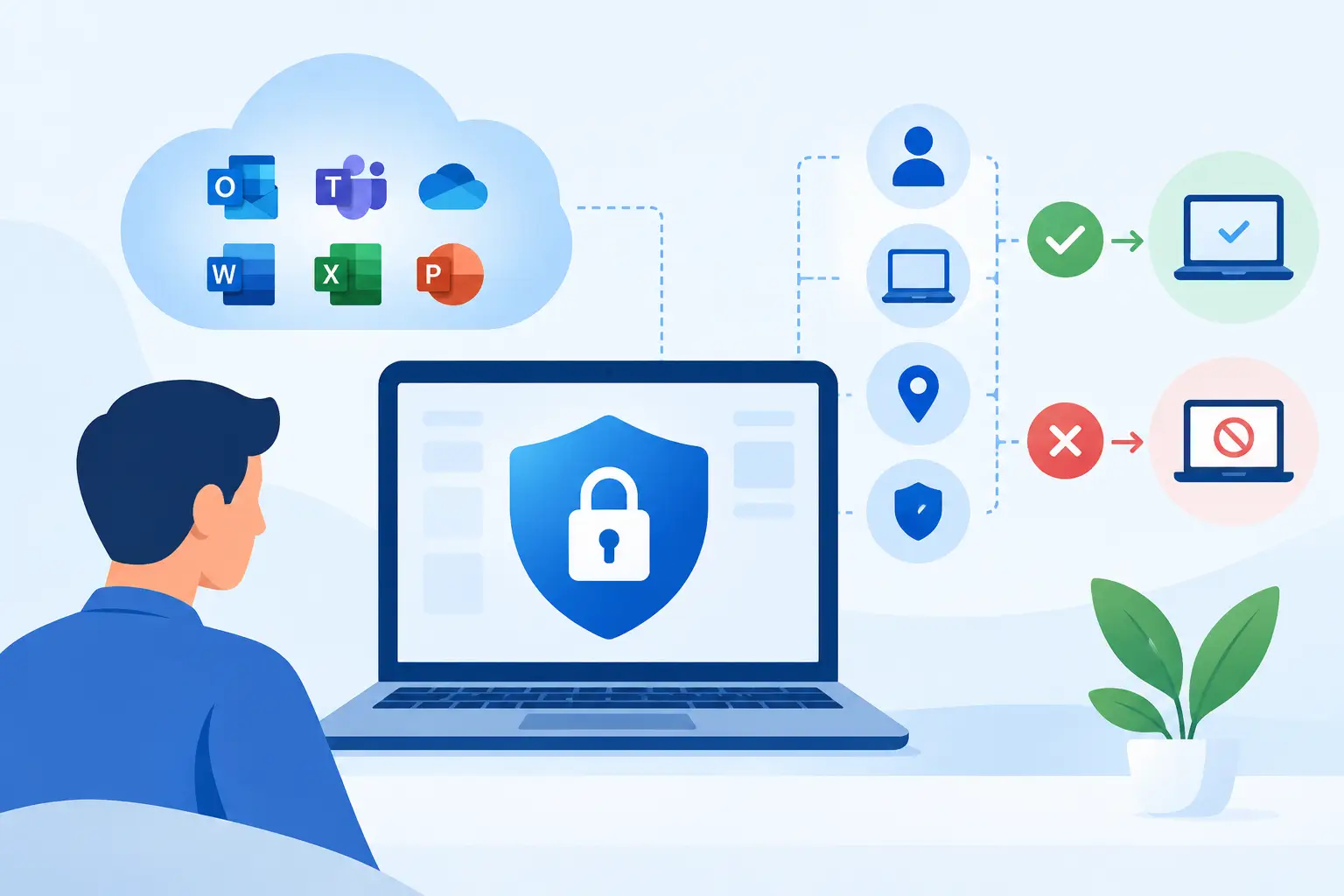
A stolen Microsoft 365 password should not automatically give an attacker access to your email, files, or financial systems. That is the practical problem Conditional Access is designed to address. The straightforward answer to “what is conditional access policy?” is that it is a Microsoft Entra ID rule that decides whether a user can access an application based on the risk and context of their sign-in.
For a small business, this turns cybersecurity from an all-or-nothing decision into a more intelligent process. A familiar employee signing in from a managed laptop at the office may be allowed in with minimal interruption. The same account signing in from an unknown device, a foreign location, or an unusual network may be required to complete multifactor authentication, use an approved device, or be blocked entirely.
What Is a Conditional Access Policy?
A Conditional Access policy is an if-this-then-that access rule within Microsoft Entra ID, the identity platform behind Microsoft 365. It evaluates specific signals during a sign-in attempt and applies a decision.
The policy begins with assignments: which users or groups it applies to, which cloud applications are covered, and sometimes which locations or device types are involved. It then evaluates conditions, such as device platform, sign-in risk, user risk, location, or client application. Finally, it applies access controls. Microsoft can require multifactor authentication (MFA), require a compliant device, require an approved application, limit a session, require a password change, or block access.
Consider a consulting firm with Microsoft 365 email, SharePoint files, and remote staff. A sensible policy might require MFA for all staff accessing Microsoft 365, but allow the sign-in after that challenge. A second, stricter policy could block access to Microsoft 365 administration portals unless the administrator is using a company-managed device. The first protects everyday work; the second protects high-value administrative access.
Conditional Access is often described as the policy engine for Zero Trust security. Zero Trust does not mean assuming every employee is untrustworthy. It means verifying access requests based on current evidence rather than relying only on a username, password, or office network.
Why Passwords and Basic MFA Are Not Enough
Passwords remain a frequent point of failure. They are reused, guessed, exposed in breaches, or captured through phishing. MFA significantly improves protection, but MFA alone does not answer every access question.
For example, an attacker may persuade a user to approve a fraudulent MFA prompt. A user may also sign in legitimately from a personal computer that lacks encryption, endpoint protection, and current security updates. Basic MFA confirms an additional factor, but it does not determine whether the device, session, and access request meet your business standard.
Conditional Access adds those decisions. It can require MFA when a risk signal is present, restrict sensitive data to managed devices, and prevent older authentication methods from bypassing modern security controls. It also gives the business a consistent way to apply policy as staff, devices, and work locations change.
This is especially useful for organizations that use Microsoft 365 as the center of daily operations. Email contains client correspondence and invoices. SharePoint and OneDrive hold documents. Teams conversations can include confidential information. Protecting those systems requires more than creating strong passwords and hoping users make the right choices every time.
The Signals a Policy Can Use
Conditional Access becomes valuable because it considers context. The most common signals are user or group membership, the application being accessed, device platform, network location, and device compliance status.
A compliant device is typically one enrolled and assessed through Microsoft Intune. The business can require security basics such as encryption, a supported operating system, screen lock, antivirus protection, and timely updates. If a device falls out of compliance, its user can be prevented from accessing corporate data until the issue is corrected.
Location-based controls can identify sign-ins from trusted office locations or block access from countries where the business has no expected activity. These controls require care. A blanket country block may sound sensible, but it can disrupt legitimate travel or remote work. It is usually better to begin with a clear understanding of where employees work, then make exceptions deliberately rather than reactively.
Microsoft can also use Identity Protection risk signals in eligible licensing plans. These signals may detect behavior associated with leaked credentials, unfamiliar sign-in properties, or suspected account compromise. A policy can respond by requiring MFA, requiring a secure password reset, or blocking the attempt. Risk-based access is powerful, but it needs monitoring and a clear response process so legitimate users are not left unable to work.
Common Conditional Access Policies for Small Businesses
The right policy set depends on your applications, licensing, devices, and operating model. Still, several use cases regularly deliver value for small and medium-sized businesses.
First, require MFA for users accessing Microsoft 365. This should include remote access and cover privileged accounts with particular care. Microsoft Authenticator number matching or phishing-resistant methods provide stronger protection than older push-only approval patterns.
Second, block legacy authentication. Older email protocols and clients can bypass modern authentication safeguards and are commonly targeted in password-spray attacks. Before blocking them, confirm that no line-of-business device, scanner, or older application still relies on them.
Third, require a compliant or managed device for sensitive access. A business may allow web email with MFA from a personal device while requiring a compliant Windows computer for downloading files from SharePoint or accessing accounting data. This is a practical balance when bring-your-own-device use is unavoidable.
Fourth, protect administrator accounts separately. Administrative accounts can create users, alter security settings, and access broad areas of the tenant. They should require strong MFA and, in many cases, only be used from managed devices. IT administrators should also maintain carefully protected emergency access accounts that are excluded from routine policies and monitored closely. Without them, a misconfigured policy can lock out every administrator.
Finally, consider session controls for web access. These can limit how long a session remains active or reduce the ability to download information to unmanaged devices. They are useful for higher-risk data, but overly aggressive settings can create repeated prompts and frustrate employees.
Conditional Access Is Not a Set-and-Forget Control
A policy that looks good on a diagram can create operational problems if it is deployed carelessly. The most common mistake is applying a broad policy to every user and every application without testing the real-world exceptions: mobile email, shared devices, meeting-room systems, service accounts, third-party applications, or staff working while traveling.
Microsoft provides report-only mode for Conditional Access policies. In this mode, the policy evaluates sign-ins and records what would have happened without actually blocking the user. This is the right place to begin for many new policies. Review the sign-in results, identify affected workflows, adjust exclusions only where justified, and document the decision.
Exclusions deserve special attention. They are sometimes necessary for emergency accounts, specific applications, or technical service accounts, but each exclusion creates a potential gap. Use named accounts, narrow scopes, strong credential protection, and regular reviews. Avoid vague exceptions such as excluding an entire department because one user encountered a problem.
Policy order is another point of confusion. Conditional Access policies are generally evaluated together, not in a simple top-to-bottom order. If one applicable policy blocks access, the block wins. If multiple policies require MFA, the user completes the requirement once where possible. Good design starts by mapping policies as a system rather than building isolated rules one at a time.
Licensing and Implementation Considerations
Conditional Access capabilities require the appropriate Microsoft Entra licensing. Many small businesses access core Conditional Access features through Microsoft 365 Business Premium, which also includes Intune device management and Microsoft Defender for Business. Microsoft Entra ID P1 and P2 plans offer different capabilities, with advanced risk-based policies associated with higher licensing levels.
Licensing is only one part of the decision. An organization also needs an accurate view of users, administrator accounts, devices, applications, data sensitivity, and remote-work patterns. Without that foundation, it is easy to buy the right tools but apply them inconsistently.
A practical implementation usually starts with identity hygiene: remove inactive accounts, separate daily-use and administrative accounts, verify MFA registration, and identify legacy authentication. From there, deploy a tested baseline policy set, connect Intune compliance where appropriate, and review sign-in logs after changes. Documentation matters because future staff, auditors, and IT providers need to understand why an exception exists.
For businesses without an internal security team, this is where experienced Microsoft 365 administration can make a meaningful difference. Deep Shah IT Consulting can align Conditional Access, Intune, Defender, and managed IT support around the way a business actually works rather than applying generic settings that create disruption.
Conditional Access works best when employees understand that an extra prompt or a device requirement is connected to a clear business purpose: protecting client information, maintaining access during remote work, and reducing the chance that one compromised password becomes a major incident. Start with the risks that matter most to your business, test before enforcing, and let the policy mature alongside your operations.
Need help with this?
Book a free 20-minute call — I'll tell you what needs to happen, no sales pitch.